
Screenshots
Cliff Notes > Briefs > Steam > Steam Deck
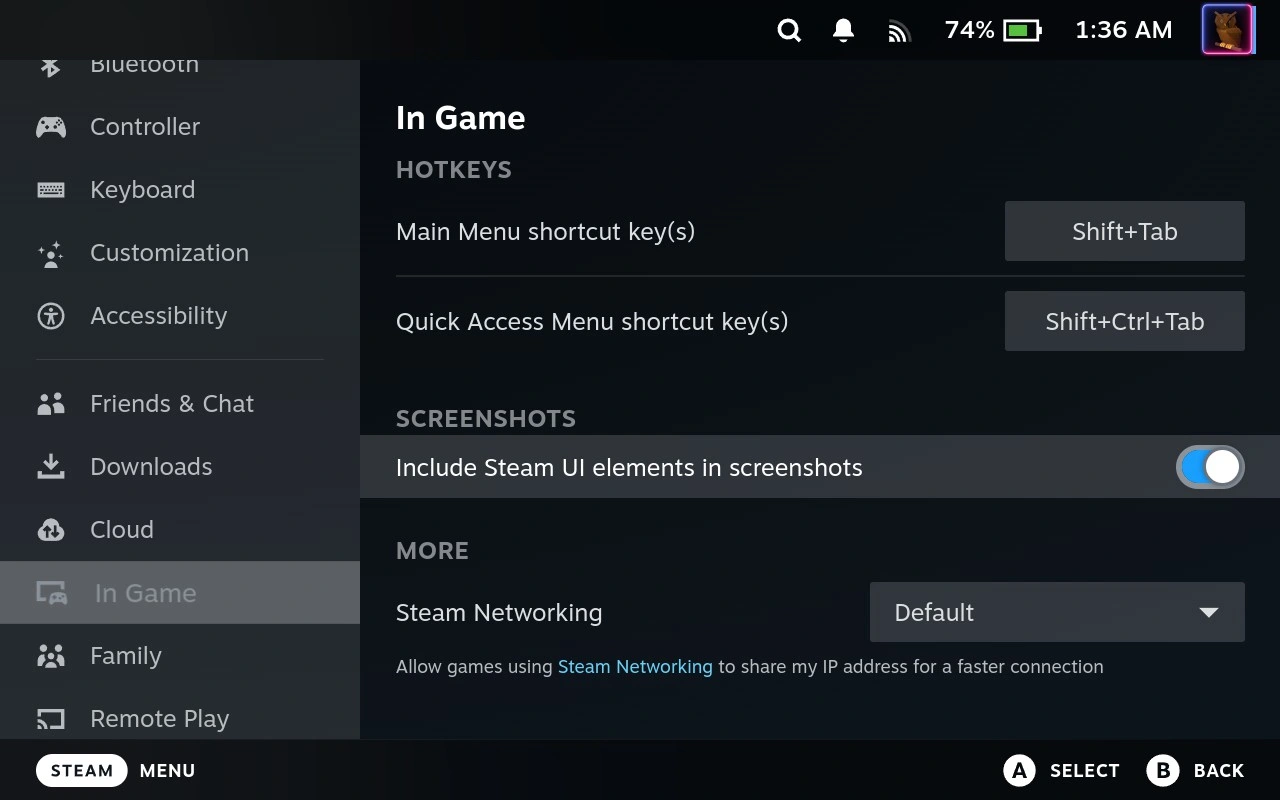
IMHO there are a couple of important notes to taking screen captures on the Steam Deck (<STEAM><R1>). The first of these is to choose whether to include Steam GUI elements or not from withing Gaming mode.
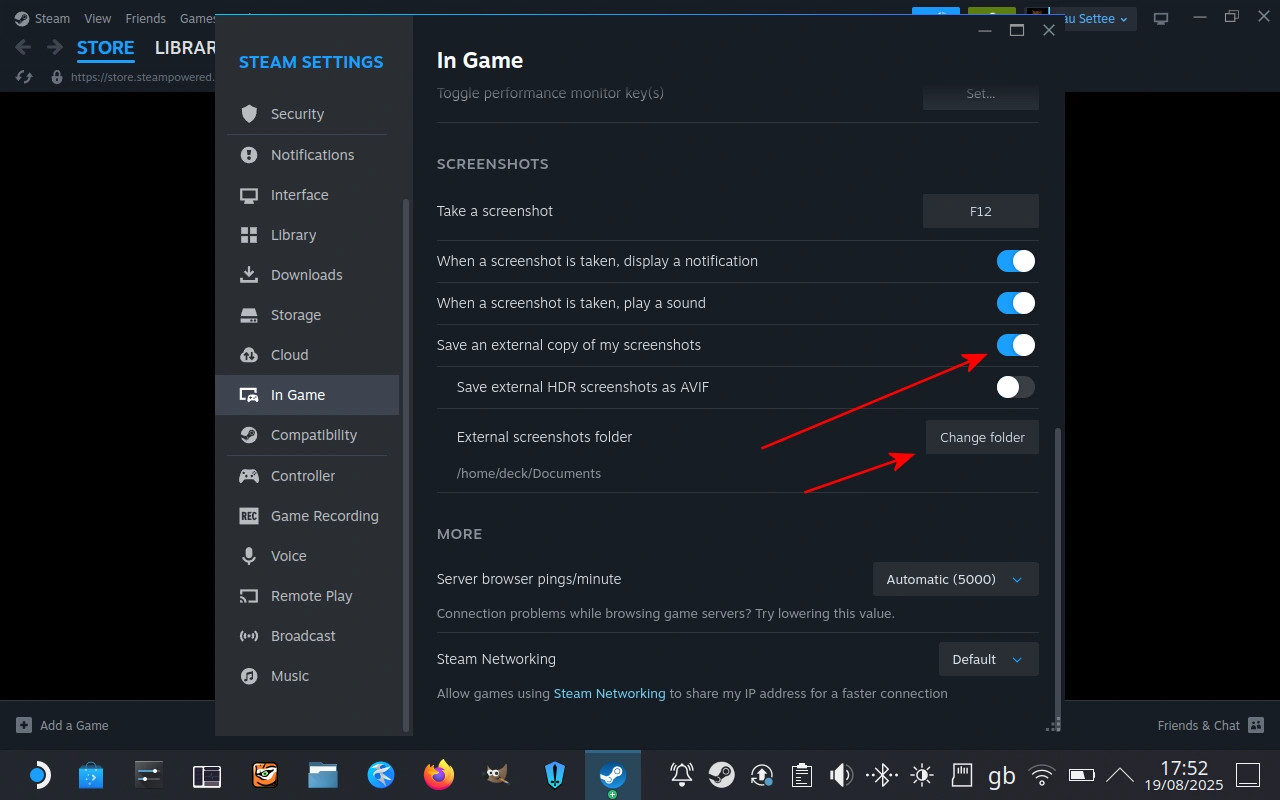
In "Desktop Mode" you can open Steam and adjust another couple of buttons - "save an external copy of my screenshots" which saves .PNG copies of the screen captures of games into the folder you select for "External screenshots folder". The default (as shown) of:
/home/deck/Documents
is IMO pretty naff, so I usually change it to a "Screenshots" folder that I put in the Pictures folder:
/home/deck/Pictures/Screenshots